
How to configure the Thrustmaster Airbus throttle quadrant for the Carenado Dornier 228 100
I know how to spend my lunchtimes...
While live-streaming a “first look” at the Dornier 228 100 from Carenado in Flight Simulator 2024 yesterday evening, I stumbled upon an unexpected issue - the throttles would not map sensibly, and the propeller levers wouldn’t map to anything.
I’ve at least solved half the problem.
How to configure the Throttle Levers
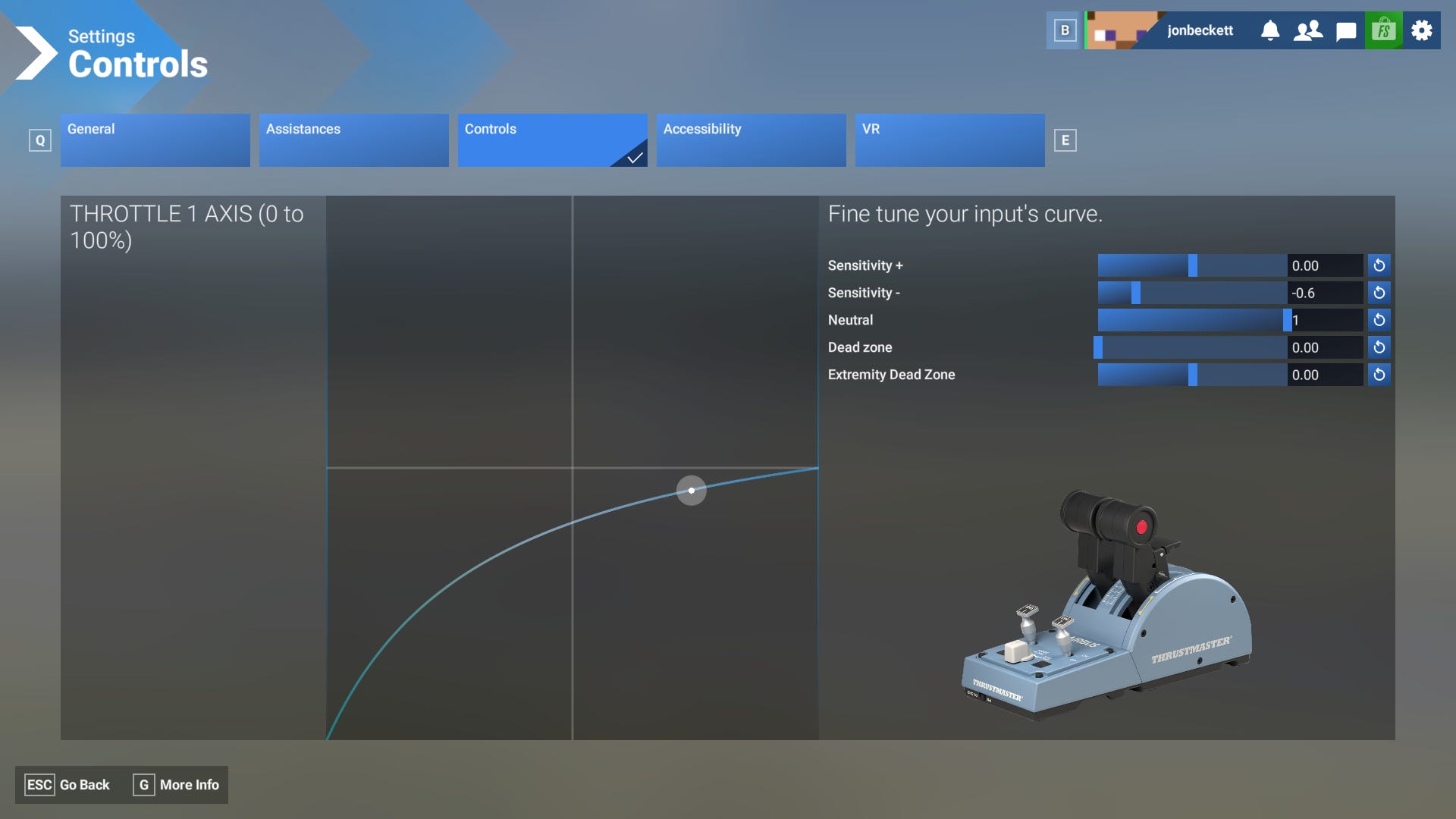
The screenshot above shows the axis, and the mapping you need to use to get the Thrustmaster Airbus throttle quadrant to align with:
beta/reverse at fully back (beyond the gate)
“ground idle” at idle (the gate)
flight idle at 50% (the climb detent)
max power at fully forward (toga)
Remember the axis also needs to be reversed when using the “Throttle 1 Axis (0-100%)”
Not so lucky with the propeller levers
I have tried mapping all available axis (propeller, and mixture) to see if they will map to the levers - it would appear Carenado forgot to map any axis to them.
One more thing
When I first purchased the aircraft from the marketplace, it defaulted to “disabled” - meaning it didn’t appear in my hangar to use. I had to find it in my installed aircraft, and enable it. I’m not sure if this was a glitch in the simulator, or Carenado have misconfigured something.